
How to Restore Water-Damaged Electronics Safely
- 1. Understanding Water Damage to Electronics
- 2. Immediate Actions to Take After Water Exposure
- 3. Step-by-Step Guide to Restoring Water-Damaged Electronics
- 4. Tools and Materials You’ll Need for the Restoration
- 5. Real-Life Example: A Successful Recovery
- 6. How Reliable Damage Hub Can Help
Water damage to electronics is one of the most common and damaging problems that can affect your devices, whether it’s a smartphone, laptop, or other gadgets. Even a small spill can lead to significant issues if not addressed quickly. Water can corrode internal components, short-circuit circuits, and ruin your electronics beyond repair. However, if you act swiftly and carefully, you can often save your devices and avoid expensive repairs or replacements. Understanding how water affects electronics and knowing the right steps to restore them is crucial for successful recovery.
When your electronics come in contact with water, the first few moments are critical. Here are some immediate actions you should take to minimize the damage:
- Turn off the device: Power off the device immediately. This is crucial to prevent any electrical shorts that may occur due to the water.
- Remove the battery: If possible, remove the battery to prevent further damage from electrical currents.
- Disconnect all accessories: Unplug any connected accessories or cables, including chargers and headphones, to prevent water from reaching internal connections.
- Dry the exterior: Gently wipe the exterior of the device with a clean cloth to remove excess water.
- Avoid using heat: While it may be tempting to use a hair dryer or oven, excessive heat can cause further damage. It’s better to air-dry the device or use desiccants to absorb moisture.
Once you’ve taken the immediate steps to protect your device, follow this step-by-step guide to restore it:
- Step 1: Dry the device completely
Use a clean, dry cloth to wipe down your device and remove excess water. If possible, let the device air dry in a warm, dry place. You can also place it inside a bag of rice or use silica gel packets to absorb the moisture. Avoid turning the device back on until it’s completely dry, which can take anywhere from 24-48 hours. - Step 2: Inspect for visible damage
Once the device is dry, inspect it for any visible signs of damage, such as water stains, corrosion, or rust on the connectors and ports. - Step 3: Reassemble and power on
Once you are confident that the device is fully dry, reinsert the battery and power the device on. If it turns on and operates normally, it may have survived the water exposure without significant damage. - Step 4: Perform functionality tests
Test all features of the device, including the touchscreen, buttons, charging port, speakers, and camera. This will help you identify if any specific functions were impacted by the water. - Step 5: Seek professional help if needed
If the device doesn’t power on, exhibits erratic behavior, or shows signs of corrosion, it’s time to consult a professional repair service. They can open the device, clean any corrosion, and make necessary repairs.
To restore your water-damaged electronics, you will need a few tools and materials:
- Soft cloths or microfiber towels: To dry off excess water and gently clean the device.
- Desiccant materials: Such as silica gel packets or uncooked rice to absorb moisture from the device.
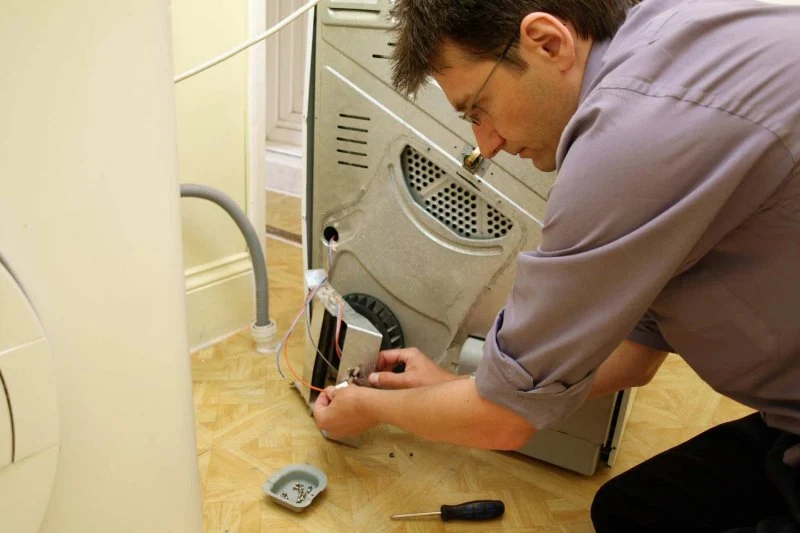
- Screwdrivers: If you need to open your device for inspection or to remove the battery.
- Isopropyl alcohol (preferably 99%): To clean any corrosion or residue from the device’s internal components.
- Compressed air: To blow out any remaining moisture from ports and connectors.
Consider the case of Jason, who accidentally dropped his phone into a pool. Immediately after retrieving it, he powered it off, removed the SIM card, and dried the phone with a clean cloth. He then placed it in a bag of rice overnight. The next day, after allowing it to dry for 24 hours, he turned it on and was relieved to find that it was working perfectly, with no signs of malfunction. Jason’s quick action and careful drying process saved his phone from significant damage and costly repairs.
If you're dealing with water-damaged electronics and need professional help, visit Reliable Damage Hub. Our experts offer repair services for a wide range of electronics, and we provide the necessary tools and products to help restore your devices safely. Whether you need specialized cleaning kits, protective cases, or expert advice, Reliable Damage Hub is your go-to resource for all your electronic repair needs.

 Good Roads Water Damage Experts5.0 (1 reviews)
 R&R Foundation Specialist4.0 (305 reviews)
 MJ White4.0 (102 reviews)
 ATI Restoration3.0 (25 reviews)
 Modernistic4.0 (251 reviews)
 ServiceMaster Cleaning Services4.0 (27 reviews)
 Water Damage Restoration for Retail Spaces – Expert Tips and Real Cases
 How to Prevent and Repair Water Damage in Commercial Properties
 How to Protect Your Home’s Electrical System from Water Damage: Essential Tips
 Flooded Basement? Here’s How to Restore It Safely
 How to Handle Water Damage After a Storm: A Step-by-Step Guide
 How to Handle Water Damage from Burst Pipes: A Step-by-Step Guide